
Addons
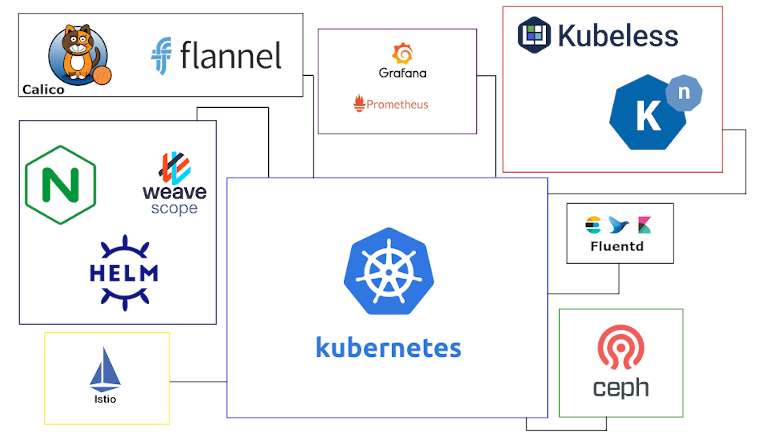
MicroK8s utiliza el mínimo de componentes para un Kubernetes puro y ligero. Sin embargo, hay muchas funciones adicionales disponibles "addons": componentes preconfigurados que proporcionarán capacidades adicionales.
Para empezar, se recomienda añadir la gestión de DNS para facilitar la comunicación entre servicios.
Host único: el complemento «hostpath-storage» proporciona espacio de directorio en el host.
microk8s enable dns
microk8s enable hostpath-storage # solo host único
Dashboard
El panel estándar de Kubernetes es una forma conveniente de realizar un seguimiento de la actividad y el uso de recursos de MicroK8.
# Instala el Addon
microk8s enable dashboard

# Genera un token para validarte en el Dashboard
microk8s kubectl create token default

# Redirige un puerto del host para poder acceder al dashboard
microk8s kubectl port-forward -n kube-system service/kubernetes-dashboard 10443:443 --address 0.0.0.0
Ingress
Este complemento añade un controlador de entrada NGINX para MicroK8. Se habilita ejecutando el comando:
microk8s enable ingressCon Ingress habilitado, se puede crear una regla de tipo "ingress" HTTP/HTTPS. por ejemplo:
apiVersion: networking.k8s.io/v1
kind: Ingress
metadata:
  name: http-ingress
spec:
  rules:
  - http:
      paths:
      - path: /
        pathType: Prefix
        backend:
          service:
            name: some-service
            port:
              number: 80
Cert-Manager
microk8s enable cert-manager

Waiting for cert-manager to be ready.
..ready
Enabled cert-manager

===========================

Cert-manager is installed. As a next step, try creating an Issuer
for Let's Encrypt by creating the following resource:

$ microk8s kubectl apply -f - <<EOF
---
apiVersion: cert-manager.io/v1
kind: Issuer
metadata:
  name: letsencrypt
spec:
  acme:
    # You must replace this email address with your own.
    # Let's Encrypt will use this to contact you about expiring
    # certificates, and issues related to your account.
    email: me@example.com
    server: https://acme-v02.api.letsencrypt.org/directory
    privateKeySecretRef:
      # Secret resource that will be used to store the account's private key.
      name: letsencrypt-account-key
    # Add a single challenge solver, HTTP01 using nginx
    solvers:
    - http01:
        ingress:
          ingressClassName: nginx
EOF

Then, you can create an ingress to expose 'my-service:80' on 'https://my-service.example.com' with:

$ microk8s enable ingress
$ microk8s kubectl create ingress my-ingress \
    --annotation cert-manager.io/issuer=letsencrypt \
    --rule 'my-service.example.com/*=my-service:80,tls=my-service-tls'