OAuth2-Proxy

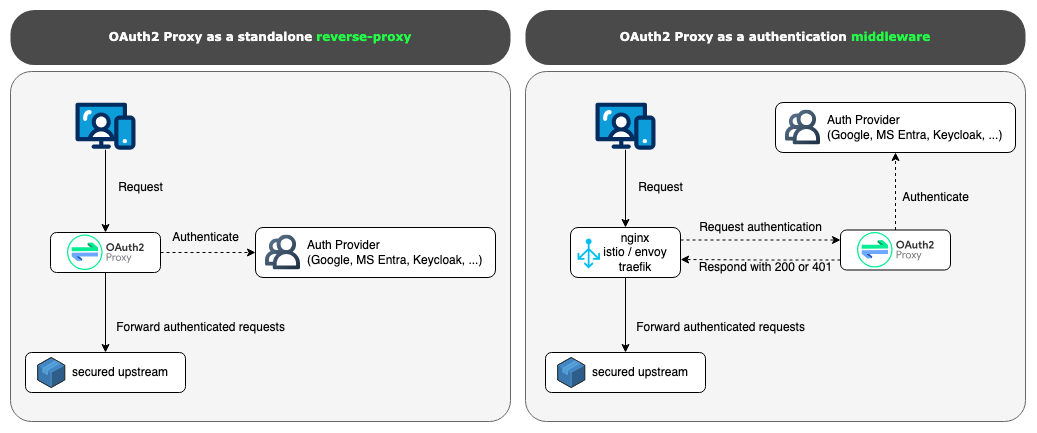
OAuth2-Proxy es un servicio que actúa como puerta de entrada: delega la autenticación en un IdP (OIDC/OAuth2 como Entra ID) y, si el login es válido, inyecta cabeceras (email, nombre, grupos, token) hacia tus apps, evitando tener que modificar cada servicio. Con Traefik se usa mediante ForwardAuth; con Nginx/NPM, mediante auth_request al endpoint /auth de OAuth2-Proxy.
Enlaces
https://github.com/oauth2-proxy/oauth2-proxy/blob/master/README.md
Requisitos
- Docker instalado siguiendo los pasos de instalar
- Portainer configurado siguiendo los pasos de instalar portainer.
- NGINX Proxy manager siguiendo los pasos de instalar NGINX Proxy Manager. (opcional)
- Traefik configurado siguiendo los pasos de instalar Traefik. (opcional)
Entra ID (Azure AD) + OAuth2-Proxy (OIDC)
Con Entra ID usa el proveedor OIDC. El issuer suele ser: https://login.microsoftonline.com/<TENANT_ID>/v2.0, y los scopes típicos: openid profile email.
Credenciales necesarias (del App Registration en Entra ID):
-
Client ID
-
Client Secret
-
Tenant ID
-
Redirect URL:
https://<tu-dominio>/oauth2/callback
Imagen
Repositorio de Docker Hub:
Portainer- Nuevo «stack»
Add a new stack – Portainer Documentation
Web editor
En Portainer «Stack» agregamos nuevo usando el editor WEB pegando el contenido del fichero «docker-compose.yml» y el contenido del fichero de variables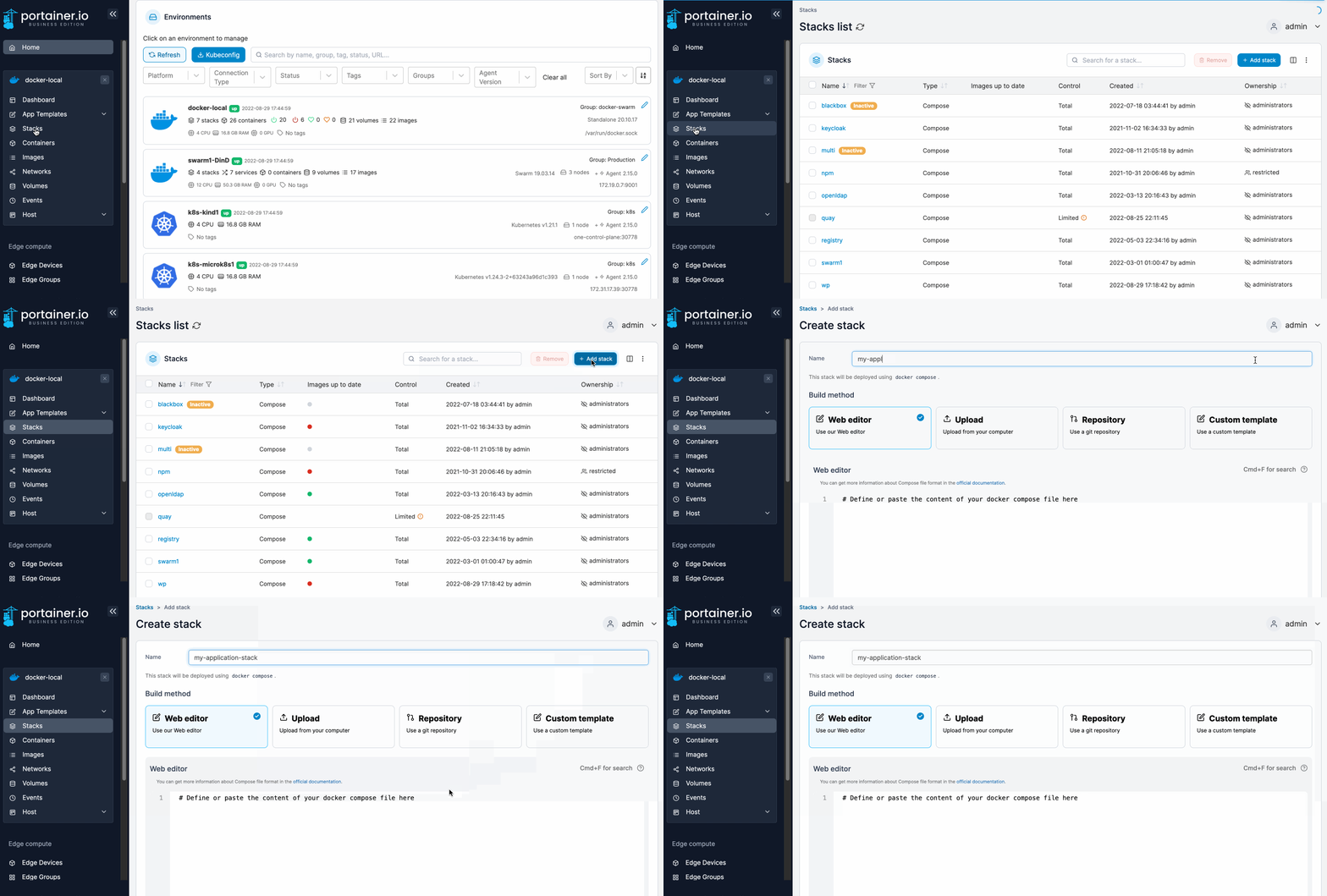
Fichero de variables
TENANT_ID=e9a8fa2f-f834-433a-88ca-8bd5e702b30a
CLIENT_ID=fd62f469-39af-4d19-8d1f-06bb46a535b1
CLIENT_SECRET=cdv8Q~ClJWxe1vDuJatsoKak4II5XPoHUDYudbyS
COOKIE_SECRET=oGMSv3uQx8tc1TUB71dXawiKRstewbYsFichero docker-compose
services:
  oauth2-proxy:
    image: quay.io/oauth2-proxy/oauth2-proxy:latest
    container_name: oauth2-proxy
    restart: unless-stopped
    env_file: stack.env
    ports:
      - "4180:4180"
    environment:
      OAUTH2_PROXY_HTTP_ADDRESS: "0.0.0.0:4180" # Si contenedor fuera de Traefik
      OAUTH2_PROXY_PROVIDER: "oidc"
      OAUTH2_PROXY_OIDC_ISSUER_URL: "https://login.microsoftonline.com/${TENANT_ID}/v2.0"
      OAUTH2_PROXY_CLIENT_ID: "${CLIENT_ID}"
      OAUTH2_PROXY_CLIENT_SECRET: "${CLIENT_SECRET}"
      OAUTH2_PROXY_REDIRECT_URL: "https://auth.dominio.com/oauth2/callback"
      OAUTH2_PROXY_EMAIL_DOMAINS: "*"
      OAUTH2_PROXY_COOKIE_SECRET: "${COOKIE_SECRET}"
      OAUTH2_PROXY_COOKIE_SECURE: "true"
      OAUTH2_PROXY_COOKIE_SAMESITE: "lax"
      OAUTH2_PROXY_SET_XAUTHREQUEST: "true"         # útil para Nginx/NPM
      OAUTH2_PROXY_PASS_ACCESS_TOKEN: "true"        # útil si el upstream necesita bearer
      OAUTH2_PROXY_PASS_AUTHORIZATION_HEADER: "true"
      OAUTH2_PROXY_REVERSE_PROXY: "true"
      OAUTH2_PROXY_UPSTREAMS: "file:///dev/null"    # modo “auth-gateway” sin proxy a app
    labels:
      - traefik.enable=true
      - traefik.http.routers.oauth2-proxy.rule=Host(`auth.dominio.com`)
      - traefik.http.routers.oauth2-proxy.entrypoints=websecure
      - traefik.http.routers.oauth2-proxy.tls=true
      - traefik.http.routers.oauth2-proxy.tls.certresolver=letsencrypt
      - traefik.http.services.oauth2-proxy.loadbalancer.server.port=4180
            # Middleware de ForwardAuth -> oauth2-proxy
      - traefik.http.middlewares.oauth2proxy.forwardauth.address=http://oauth2-proxy:4180/auth
      - traefik.http.middlewares.oauth2proxy.forwardauth.trustForwardHeader=true
      - traefik.http.middlewares.oauth2proxy.forwardauth.authResponseHeaders=X-Auth-Request-Email,X-Auth-Request-User,Authorization
    networks:
      - proxy

networks:
  proxy:
    external: true
En este punto ya puedes ir a http://my.docker.ip.address
Integración con Traefik (ForwardAuth)
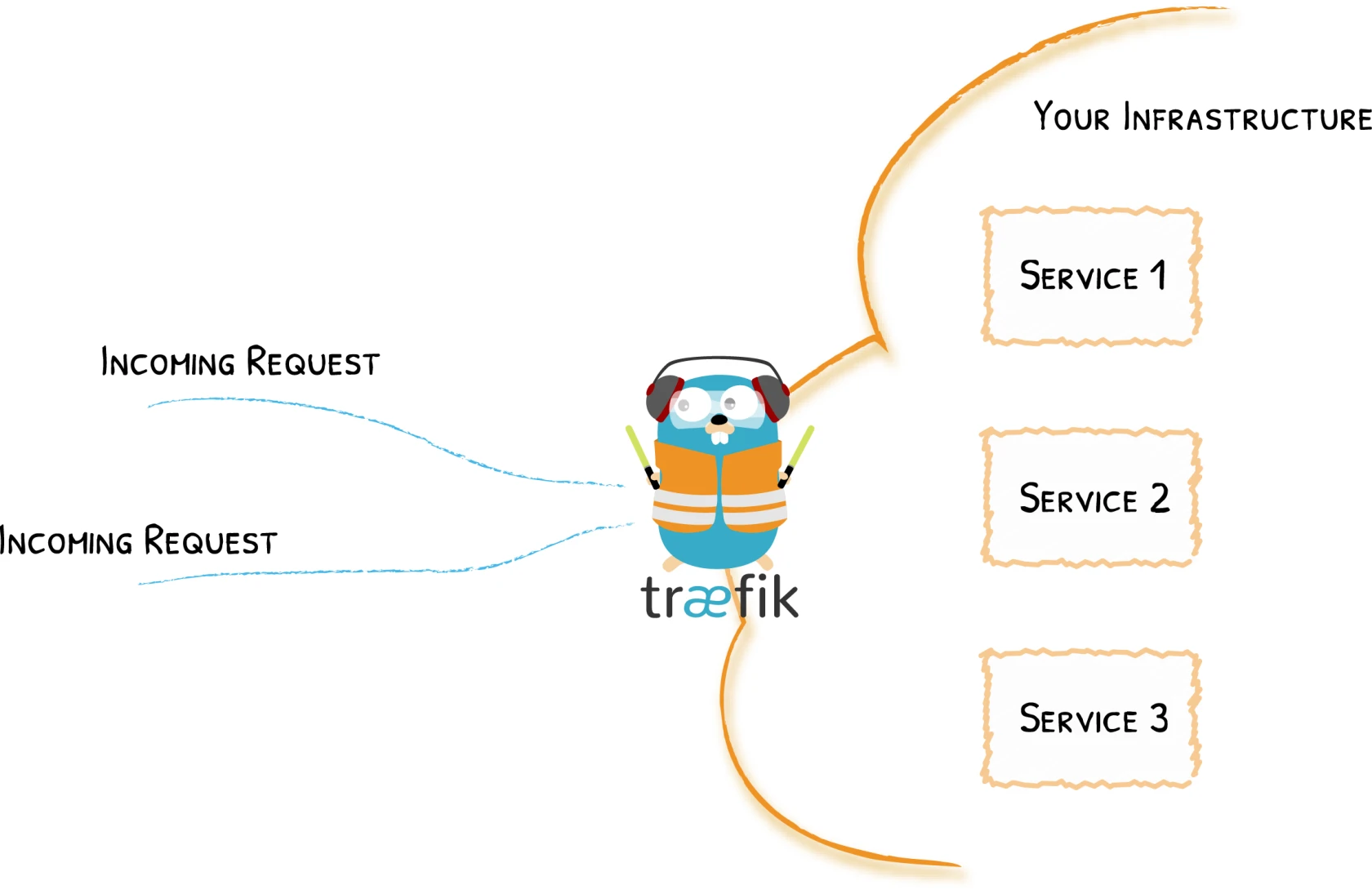
Traefik delega la auth a OAuth2-Proxy; si /auth devuelve 2xx, pasa la request. Define un middleware ForwardAuth apuntando a http://oauth2-proxy:4180/auth y reenvía cabeceras útiles (p. ej., X-Auth-Request-Email).
Agrega las siguientes labels al docker-compose
EjemploLabels
services:
  app:
    image: caddy:alpine
    container_name: app
    restart: unless-stopped    labels:
      - traefik.enable=true
      - traefik.http.routers.app.oauth2-proxy.rule=Host(`app.auth.dominio.com`)
      - traefik.http.routers.app.oauth2-proxy.entrypoints=websecure
      - traefik.http.routers.app.oauth2-proxy.tls=true
      - traefik.http.routers.app.oauth2-proxy.tls.certresolver=letsencrypt
      - traefik.http.services.oauth2-proxy.loadbalancer.server.port=4180
            # Middleware de ForwardAuth -> oauth2-proxy
      - traefik.http.middlewares.oauth2proxy.forwardauth.address=http://oauth2-proxy:4180/auth
      - traefik.http.middlewares.oauth2proxy.forwardauth.trustForwardHeader=true
      - traefik.http.middlewares.oauth2proxy.forwardauth.authResponseHeaders=X-Auth-Request-Email,X-Auth-Request-User,Authorization
      - traefik.http.routers.app.middlewares=oauth2proxy@docker
    networks:
      - proxy

networks:
  proxy:
    external: true
NGINX proxy
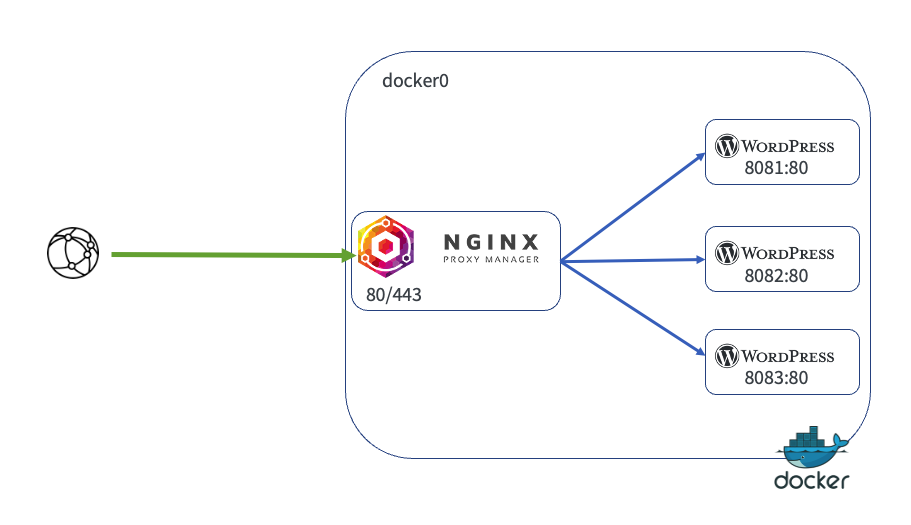
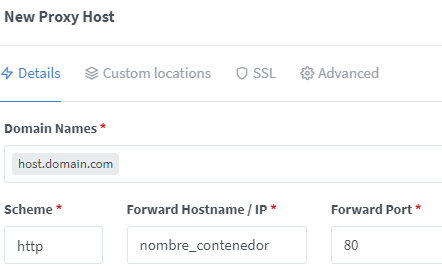
Para publicar el contenedor detrás de NGINX proxy, como el stack está en la red proxy solo deberás crear un nuevo host
Crear un nuevo "proxy host"
Añade un nuevo proxy host con el nombre de dominio creado en el paso anterior redirigido hacia el nombre del contenedor y el puerto que use: