
Authelia
Authelia es un servidor de autenticación y autorización Open Source para proteger aplicaciones web trabajando junto a a proxy inverso como as NGINX, Traefik y HAProxy. En consecuencia, no se requiere código adicional en las aplicaciones protegidas
Métodos de doble factor de validación que están disponibles:
- One-Time passwords
concon Google Authenticator. - llaves con «tokens»
comocomo Yubikey. - Notificaciones en dispositivos móviles
usandousando Duo

Enlaces
Authelia: Tu propio proveedor OAuth2
Requisitos
- Docker o Podman instalado siguiendo los pasos de instalar
- Portainer configurado siguiendo los pasos
dede instalar portainer. - Traefik configurado siguiendo los pasos de
Imagen
Repositorio de Docker Hub: https://hub.docker.com/r/authelia/authelia
Directorios y ficheros de contraseñas
Creamos los directorios y los ficheros de contraseñas necesarios
mkdir -pv $HOME/docker_volumes/authelia/{config/assets,secrets}
touch $HOME/docker_volumes/authelia/secrets/{JWT_SECRET,SESSION_SECRET,STORAGE_ENCRYPTION_KEY,SMTP_PASSWORD,LDAP_PASSWORD}
chmod 600 $HOME/docker_volumes/authelia/secrets/*
Podemos generar las contraseñas automáticamente
openssl rand -hex 64 > $HOME/docker_volumes/authelia/secrets/JWT_SECRET
openssl rand -hex 64 > $HOME/docker_volumes/authelia/secrets/SESSION_SECRET
openssl rand -hex 64 > $HOME/docker_volumes/authelia/secrets/STORAGE_ENCRYPTION_KEY
Fichero de configuración
La configuración de de Authelia estará definida en en /var/data/$HOME/docker_volumes/authelia/config/configuration.yml
Datos básicos
###############################################################
# Authelia configuration #
###############################################################
server:
  address: tcp://:9091/
  asset_path: /config/assets #ruta para "logo.png" y "favicon.ico"

# https://www.authelia.com/configuration/miscellaneous/logging/
log:
  level: info
  format: text
  file_path: /config/authelia.log
  keep_stdout: true

### TOTP Settings
totp:
  issuer: example.com
  period: 30
  skew: 1
Modo de validación
A elegir entre «fichero de usuarios» o LDAP. Es excluyente.
Fichero de usuarios
authentication_backend:
  password_reset.disable: false
  file:
    path: /config/users_database.yml
    password:
      algorithm: argon2id
      iterations: 1
      key_length: 32
      salt_length: 16
      memory: 512
      parallelism: 8
hay cuatro políticas de acceso disponibles: bypass, one_factor, two_factor, and and deny. Se evalúan evalúan en orden
access_control:
  default_policy: deny
  rules:
    - domain:
      - example.com
      - "*.example.com"
      policy: bypass
      networks:
        - 192.168.0.0/16
        - 172.16.0.0/12
        - 10.0.0.0/8
    - domain:
      - example.com
      - "*.example.com"
      policy: two_factor
Otras configuraciones
session:
  secret: 'insecure_session_secret'
  name: 'authelia_session'
  same_site: 'lax'
  inactivity: '5m'
  expiration: '1h'
  remember_me: '1M'
  cookies:
    - domain: 'example.com'
      authelia_url: 'https://auth.example.com'
      default_redirection_url: 'https://www.example.com'
      name: 'authelia_session'
      same_site: 'lax'
      inactivity: '5m'
      expiration: '1h'
      remember_me: '1d'

regulation:
  max_retries: 3
  find_time: 2m
  ban_time: 5m

storage:
  local:
    path: /config/db.sqlite3
Fichero de usuarios
En el caso de elegir la validación de usuarios por fichero de Authelia, este estará definido definido en $HOME/authelia/config/users_database.yml. Crea el fichero y modifica lo que corresponda.
###############################################################
# Users Database #
###############################################################
# This file can be used if you do not have an LDAP set up.
# List of users
users:
  user_name:
    disabled: false
    displayname: "user_name"
    password: "$argon2id$v=19$m=524288,t=1,p=longrandompasswordhashgenerated"
    email: user_name@example.com
    groups:
      - admins
      - dev
La manera más sencilla de generar la contraseña es ejecutando:
docker run --rm docker.io/authelia/authelia authelia hash-password <yourpassword>Portainer – Agregar nuevo «stack»
Add a new stack – Portainer Documentation
Web editor
Aunque no es obligatorio, vamos a integrar el servicio Authelia dentro del «stack» de Traefik añadiéndolo al fichero docker-compose de traefik. Agrega las líneas entre los puntos suspensivos y el contenido del fichero «.env»
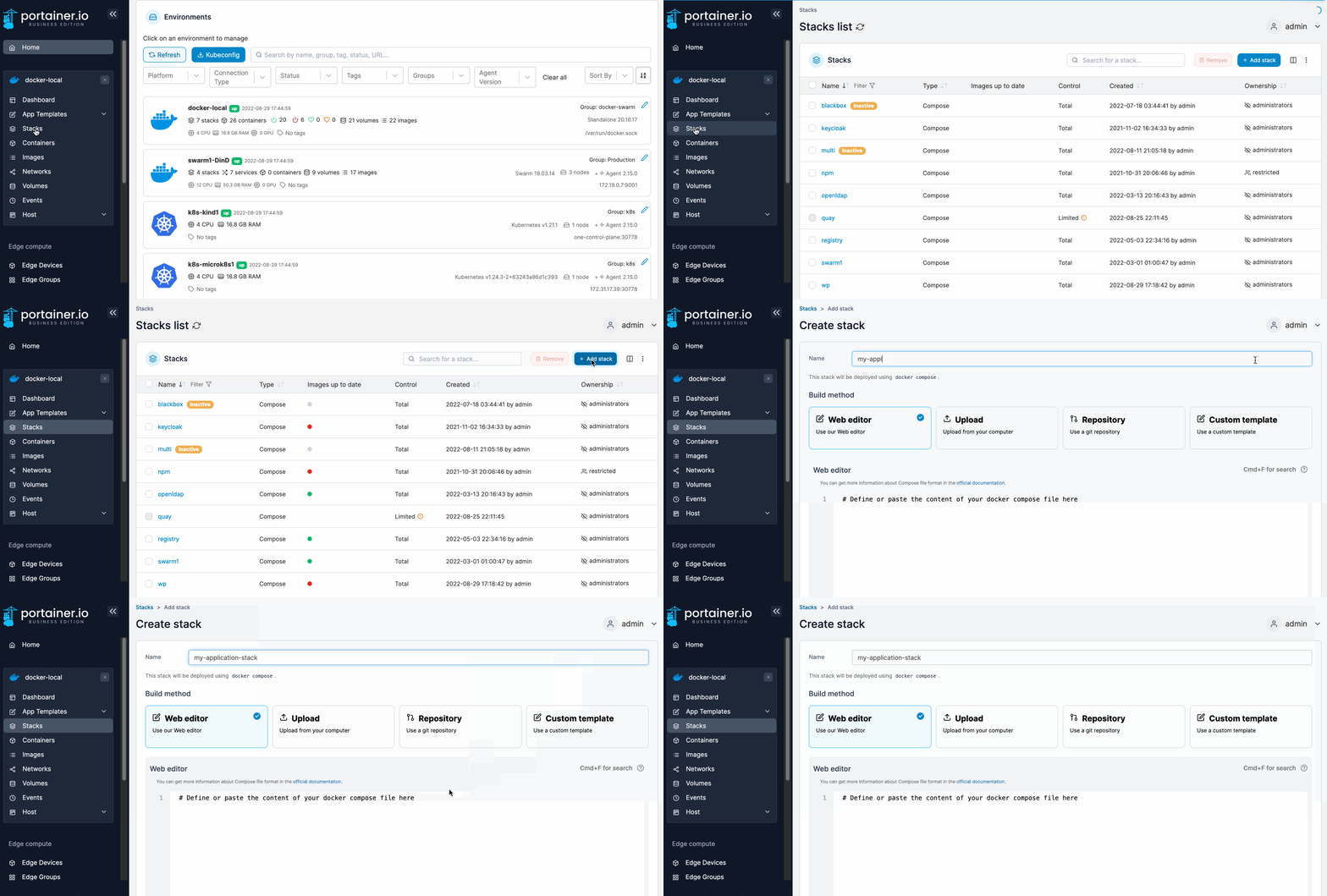
Fichero de variables
TZ=$TZEurope/Madrid
DOCKER_DATA_DIR=/home/"mi_usuario"/docker_volumes
DOMAIN="mi_dominio.com"
# https://www.authelia.com/configuration/methods/environment/
AUTHELIA_THEME=auto
AUTHELIA_IDENTITY_VALIDATION_RESET_PASSWORD_JWT_SECRET_FILE=/secrets/JWT_SECRET
AUTHELIA_SESSION_SECRET_FILE=/secrets/SESSION_SECRET
AUTHELIA_STORAGE_ENCRYPTION_KEY_FILE=/secrets/STORAGE_ENCRYPTION_KEY
# Notifier
AUTHELIA_NOTIFIER_DISABLE_STARTUP_CHECK=false
AUTHELIA_NOTIFIER_SMTP_PASSWORD_FILE=/secrets/SMTP_PASSWORD
AUTHELIA_NOTIFIER_SMTP_ADDRESS=smtp://smtp.office365.com:587
AUTHELIA_NOTIFIER_SMTP_TIMEOUT=5s
AUTHELIA_NOTIFIER_SMTP_USERNAME=usuario@domain.com
AUTHELIA_NOTIFIER_SMTP_SENDER=noreply@domain.com
AUTHELIA_NOTIFIER_SMTP_SUBJECT="[Authelia] {title}"
AUTHELIA_NOTIFIER_SMTP_STARTUP_CHECK_ADDRESS=usuario@domain.com
AUTHELIA_NOTIFIER_SMTP_DISABLE_REQUIRE_TLS=false
AUTHELIA_NOTIFIER_SMTP_DISABLE_HTML_EMAILS=false
# Authentication Backend
AUTHELIA_AUTHENTICATION_BACKEND_PASSWORD_RESET_DISABLE=false
AUTHELIA_AUTHENTICATION_BACKEND_LDAP_IMPLEMENTATION=activedirectory
AUTHELIA_AUTHENTICATION_BACKEND_LDAP_USER=cn=Usuario_LDAP,cn=Users,dc=example,dc=com
AUTHELIA_AUTHENTICATION_BACKEND_LDAP_PASSWORD_FILE=/secrets/LDAP_PASSWORD
AUTHELIA_AUTHENTICATION_BACKEND_LDAP_ADDRESS=ldap://IP_DomainController
AUTHELIA_AUTHENTICATION_BACKEND_LDAP_TIMEOUT=5s
AUTHELIA_AUTHENTICATION_BACKEND_LDAP_START_TLS=false
AUTHELIA_AUTHENTICATION_BACKEND_LDAP_BASE_DN=DC=example,DC=com
AUTHELIA_AUTHENTICATION_BACKEND_LDAP_ADDITIONAL_USERS_DN=ou=users
AUTHELIA_AUTHENTICATION_BACKEND_LDAP_USERS_FILTER=(&(|({username_attribute}={input})({mail_attribute}={input}))(sAMAccountType=805306368)((userAccountControl:1.2.840.113556.1.4.803:=2))(!(pwdLastSet=0)))
AUTHELIA_AUTHENTICATION_BACKEND_LDAP_ADDITIONAL_GROUPS_DN=ou=groups
AUTHELIA_AUTHENTICATION_BACKEND_LDAP_GROUPS_FILTER=(&(member={dn})(objectClass=group)(objectCategory=group))
AUTHELIA_AUTHENTICATION_BACKEND_LDAP_ATTRIBUTES_USERNAME=sAMAccountName
AUTHELIA_AUTHENTICATION_BACKEND_LDAP_ATTRIBUTES_DISPLAY_NAME=displayName
AUTHELIA_AUTHENTICATION_BACKEND_LDAP_ATTRIBUTES_MAIL=mail
AUTHELIA_AUTHENTICATION_BACKEND_LDAP_ATTRIBUTES_GROUP_NAME=cn
Fichero docker-compose.yml
Aunque no es obligatorio, vamos a integrar el servicio Authelia dentro del «stack» de Traefik añadiéndolo al fichero docker-compose de traefik. Agrega las líneas entre los puntos suspensivos:
services:
  traefik:
...
  authelia:
    image: docker.io/authelia/authelia
    container_name: authelia
    restart: unless-stopped
    env_file: stack.env
    volumes:
      - $HOME/DOCKER_DATA_DIR/authelia/config:/config
      - $HOME/DOCKER_DATA_DIR/authelia/secrets:/secrets
    networks:
      - traefik_public
    labels:
      - traefik.enable=true
      - traefik.http.routers.authelia.rule=Host(`authelia.$DOMAIN`)
      - traefik.http.routers.authelia.tls=true
      - traefik.http.routers.authelia.tls.certresolver=letsencrypt
...
networks:
  traefik_public:
    external: true
Testing
Para probar, apunta con el navegador a: https://authelia.$DOMAIN y llegarás a la página de validación de Authelia :
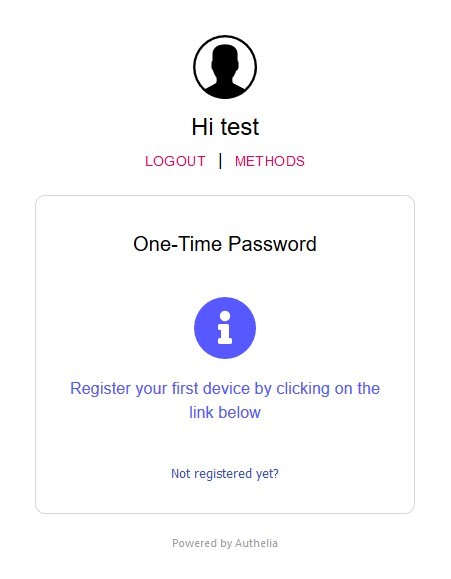
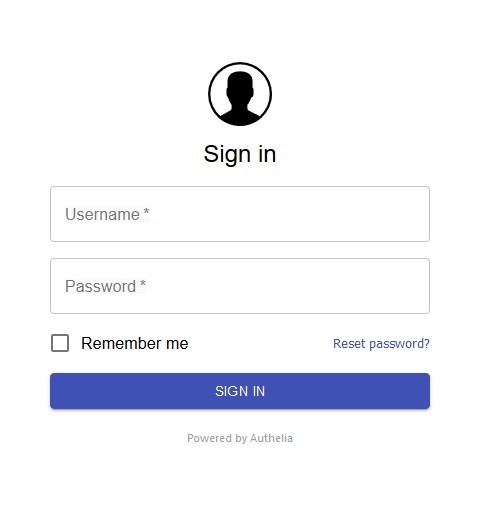 Usa las credenciales de algún usuario añadido a "user_database.yml" o LDAP (si está configurado)
 y comprobarás si funciona.
Protegiendo otros contenedores
para habilitar habilitar Authelia para otros contenedores, primero necesitamos configurar configurar Traefik para que le envíe las validaciones. Añade las líneas al fichero fichero traefik_dynamic.toml. y reinicia reinicia Traefik
http:
  middlewares:
.......
    authelia:
      forwardAuth:
        address: 'http://authelia:9091/api/verify?rd=https://authelia.ictiberia.com/'
        trustForwardHeader: true
        authResponseHeaders:
          - Remote-User
          - Remote-Groups
…Y por último añade al fichero fichero docker-compose.yml del contenedor que quieras proteger la etiqueta:
- traefik.http.routers.mysite.middlewares=authelia@file