
Authelia
Authelia es un servidor de autenticación y autorización Open Source para proteger aplicaciones web trabajando junto a proxy inverso como as NGINX, Traefik y HAProxy. En consecuencia, no se requiere código adicional en las aplicaciones protegidas
Métodos de doble factor de validación que están disponibles:
- One-Time passwords con Google Authenticator.
- llaves con «tokens» como Yubikey.
- Notificaciones en dispositivos móviles usando Duo

Enlaces
Authelia: Tu propio proveedor OAuth2
Requisitos
- Docker o Podman instalado siguiendo los pasos de instalar
- Portainer configurado siguiendo los pasos de instalar portainer.
- Traefik configurado siguiendo los pasos de instalar Traefik.
Imagen
Repositorio de Docker Hub: https://hub.docker.com/r/authelia/authelia
Directorios y ficheros de contraseñas
Creamos los directorios y los ficheros de contraseñas necesarios
mkdir -pv $HOME/authelia/{config/assets,secrets}
touch $HOME/authelia/secrets/{JWT_SECRET,SESSION_SECRET,STORAGE_ENCRYPTION_KEY,SMTP_PASSWORD,LDAP_PASSWORD}
chmod 600 $HOME/authelia/secrets/*
Podemos generar las contraseñas automáticamente
openssl rand -hex 64 > $HOME/authelia/secrets/JWT_SECRET
openssl rand -hex 64 > $HOME/authelia/secrets/SESSION_SECRET
openssl rand -hex 64 > $HOME/authelia/secrets/STORAGE_ENCRYPTION_KEY
Fichero de configuración
La configuración de Authelia estará definida en /var/data/authelia/config/configuration.yml. Crea el fichero y cambia los valores que aparecen en negrita por los que correspondan.
Datos básicos
###############################################################
# Authelia configuration #
###############################################################
# default_redirection_url: https://auth.example.com
server:
  address: tcp://:9091/
  asset_path: /config/assets #ruta para "logo.png" y "favicon.ico"

# https://www.authelia.com/configuration/miscellaneous/logging/
log:
  level: info
  format: text
  file_path: /config/authelia.log
  keep_stdout: true

### TOTP Settings
totp:
  issuer: example.com
  period: 30
  skew: 1
Modo de validación
A elegir entre «fichero de usuarios» o LDAP. Es excluyente.
Fichero de usuarios
authentication_backend:
  password_reset.disable: false
  file:
    path: /config/users_database.yml
    password:
      algorithm: argon2id
      iterations: 1
      key_length: 32
      salt_length: 16
      memory: 512
      parallelism: 8
hay cuatro políticas de acceso disponibles: bypass, one_factor, two_factor, and deny. Se evalúan en orden
access_control:
  default_policy: deny
  rules:
    - domain:
      - example.com
      - "*.example.com"
      policy: bypass
      networks:
        - 192.168.0.0/16
        - 172.16.0.0/12
        - 10.0.0.0/8
    - domain:
      - example.com
      - "*.example.com"
      policy: two_factor
Otras configuraciones
session:
  secret: 'insecure_session_secret'
  name: 'authelia_session'
  same_site: 'lax'
  inactivity: '5m'
  expiration: '1h'
  remember_me: '1M'
  cookies:
    - domain: 'example.com'
      authelia_url: 'https://auth.example.com'
      default_redirection_url: 'https://www.example.com'
      name: 'authelia_session'
      same_site: 'lax'
      inactivity: '5m'
      expiration: '1h'
      remember_me: '1d'

regulation:
  max_retries: 3
  find_time: 2m
  ban_time: 5m

storage:
  local:
    path: /config/db.sqlite3
Fichero de usuarios
En el caso de elegir la validación de usuarios por fichero de Authelia, este estará definido en $CONTAINERDIR/authelia/config/users_database.yml. Crea el fichero y modifica lo que corresponda.
###############################################################
# Users Database #
###############################################################
# This file can be used if you do not have an LDAP set up.
# List of users
users:
  user_name:
    disabled: false
    displayname: "user_name"
    password: "$argon2id$v=19$m=524288,t=1,p=longrandompasswordhashgenerated"
    email: user_name@example.com
    groups:
      - admins
      - dev
La manera más sencilla de generar la contraseña es ejecutando:
docker run --rm docker.io/authelia/authelia authelia hash-password <yourpassword>Portainer – Agregar nuevo «stack»
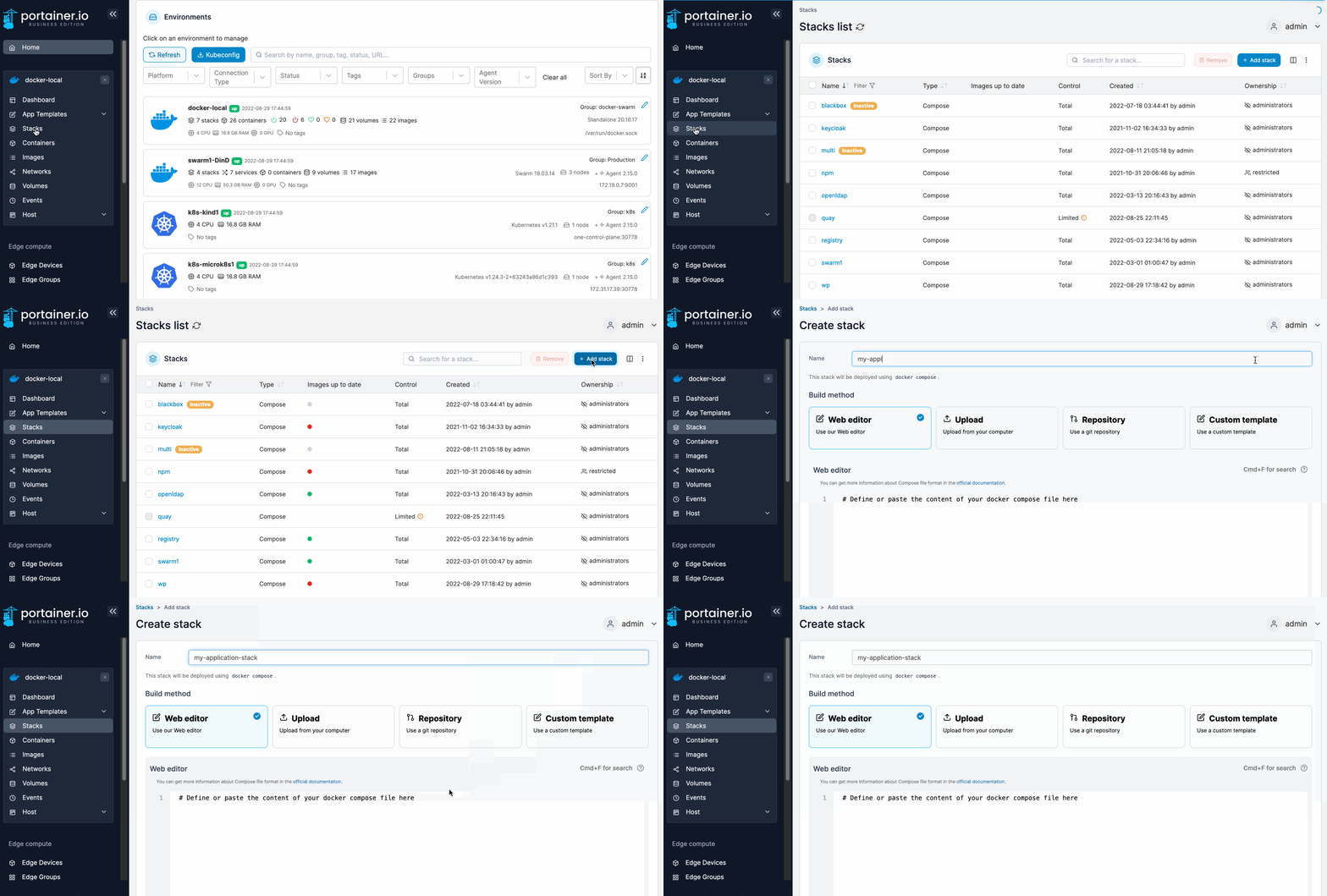
Add a new stack – Portainer Documentation
Web editor
Aunque no es obligatorio, vamos a integrar el servicio Authelia dentro del «stack» de Traefik añadiéndolo al fichero docker-compose de traefik. Agrega las líneas entre los puntos suspensivos y el contenido del fichero «.env»
Fichero de variables
TZ=$TZ
# https://www.authelia.com/configuration/methods/environment/
AUTHELIA_THEME=auto
AUTHELIA_IDENTITY_VALIDATION_RESET_PASSWORD_JWT_SECRET_FILE=/secrets/JWT_SECRET
AUTHELIA_SESSION_SECRET_FILE=/secrets/SESSION_SECRET
AUTHELIA_STORAGE_ENCRYPTION_KEY_FILE=/secrets/STORAGE_ENCRYPTION_KEY
# Notifier
AUTHELIA_NOTIFIER_DISABLE_STARTUP_CHECK=false
AUTHELIA_NOTIFIER_SMTP_PASSWORD_FILE=/secrets/SMTP_PASSWORD
AUTHELIA_NOTIFIER_SMTP_ADDRESS=smtp://smtp.office365.com:587
AUTHELIA_NOTIFIER_SMTP_TIMEOUT=5s
AUTHELIA_NOTIFIER_SMTP_USERNAME=usuario@domain.com
AUTHELIA_NOTIFIER_SMTP_SENDER=noreply@domain.com
AUTHELIA_NOTIFIER_SMTP_SUBJECT="[Authelia] {title}"
AUTHELIA_NOTIFIER_SMTP_STARTUP_CHECK_ADDRESS=usuario@domain.com
AUTHELIA_NOTIFIER_SMTP_DISABLE_REQUIRE_TLS=false
AUTHELIA_NOTIFIER_SMTP_DISABLE_HTML_EMAILS=false
# Authentication Backend
AUTHELIA_AUTHENTICATION_BACKEND_PASSWORD_RESET_DISABLE=false
AUTHELIA_AUTHENTICATION_BACKEND_LDAP_IMPLEMENTATION=activedirectory
AUTHELIA_AUTHENTICATION_BACKEND_LDAP_USER=cn=Usuario_LDAP,cn=Users,dc=example,dc=com
AUTHELIA_AUTHENTICATION_BACKEND_LDAP_PASSWORD_FILE=/secrets/LDAP_PASSWORD
AUTHELIA_AUTHENTICATION_BACKEND_LDAP_ADDRESS=ldap://IP_DomainController
AUTHELIA_AUTHENTICATION_BACKEND_LDAP_TIMEOUT=5s
AUTHELIA_AUTHENTICATION_BACKEND_LDAP_START_TLS=false
AUTHELIA_AUTHENTICATION_BACKEND_LDAP_BASE_DN=DC=example,DC=com
AUTHELIA_AUTHENTICATION_BACKEND_LDAP_ADDITIONAL_USERS_DN=ou=users
AUTHELIA_AUTHENTICATION_BACKEND_LDAP_USERS_FILTER=(&(|({username_attribute}={input})({mail_attribute}={input}))(sAMAccountType=805306368)((userAccountControl:1.2.840.113556.1.4.803:=2))(!(pwdLastSet=0)))
AUTHELIA_AUTHENTICATION_BACKEND_LDAP_ADDITIONAL_GROUPS_DN=ou=groups
AUTHELIA_AUTHENTICATION_BACKEND_LDAP_GROUPS_FILTER=(&(member={dn})(objectClass=group)(objectCategory=group))
AUTHELIA_AUTHENTICATION_BACKEND_LDAP_ATTRIBUTES_USERNAME=sAMAccountName
AUTHELIA_AUTHENTICATION_BACKEND_LDAP_ATTRIBUTES_DISPLAY_NAME=displayName
AUTHELIA_AUTHENTICATION_BACKEND_LDAP_ATTRIBUTES_MAIL=mail
AUTHELIA_AUTHENTICATION_BACKEND_LDAP_ATTRIBUTES_GROUP_NAME=cn
Fichero docker-compose.yml
Aunque no es obligatorio, vamos a integrar el servicio Authelia dentro del «stack» de Traefik añadiéndolo al fichero docker-compose de traefik. Agrega las líneas entre los puntos suspensivos:
services:
  traefik:
...
  authelia:
    image: docker.io/authelia/authelia
    container_name: authelia
    restart: unless-stopped
    env_file: stack.env
    volumes:
      - $CONTAINERDIR/authelia/config:/config
      - $CONTAINERDIR/authelia/secrets:/secrets
    networks:
      - traefik_public
    labels:
      - traefik.enable=true
      - traefik.http.routers.authelia.rule=Host(`authelia.$DOMAIN`)
      - traefik.http.routers.authelia.tls=true
      - traefik.http.routers.authelia.tls.certresolver=letsencrypt
...
networks:
  traefik_public:
    external: true
Testing
Para probar, apunta con el navegador a: https://authelia.$DOMAIN y llegarás a la página de validación de Authelia :
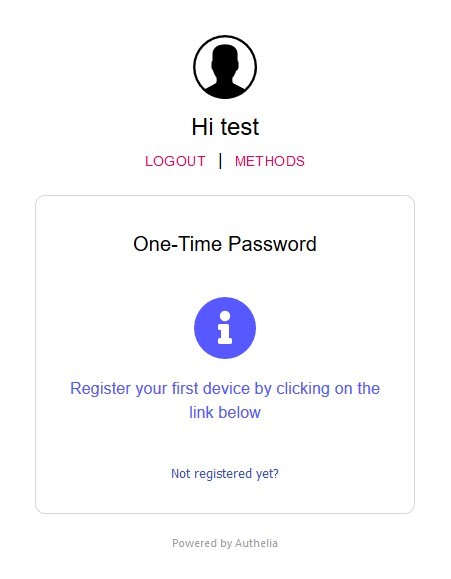
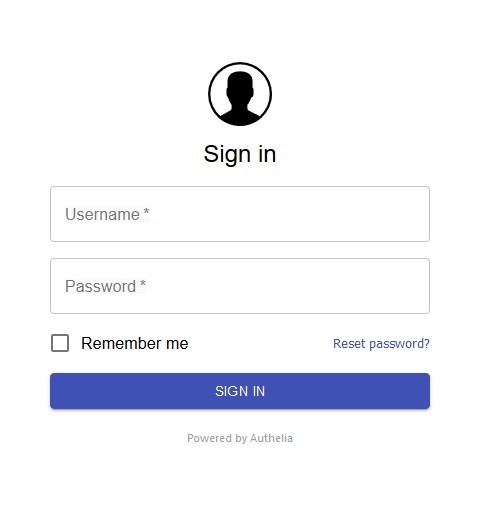 Usa las credenciales de algún usuario añadido a "user_database.yml" o LDAP (si está configurado) y comprobarás si funciona.
Protegiendo otros contenedores
para habilitar Authelia para otros contenedores, primero necesitamos configurar Traefik para que le envíe las validaciones. Añade las líneas al fichero traefik_dynamic.toml. y reinicia Traefik
http:
  middlewares:
.......
    authelia:
      forwardAuth:
        address: 'http://authelia:9091/api/verify?rd=https://authelia.ictiberia.com/'
        trustForwardHeader: true
        authResponseHeaders:
          - Remote-User
          - Remote-Groups
…Y por último añade al fichero docker-compose.yml del contenedor que quieras proteger la etiqueta:
- traefik.http.routers.mysite.middlewares=authelia@file